ChefAdmin
Sign in Get the app →
Now on the App Store and Google Play

Capture and own your recipes.

The recipes in your head and on scraps of paper, turned into a proper cookbook you own. Photograph a dish, dictate it or type it; ChefAdmin drafts the ingredients and method for you to check, sorts menu items from sub-recipes, and keeps every brand you run in one portfolio. Free to start.

Same sign-in as ChefAdmin on the web. Prefer the browser? It still runs at kms.chefadmin.com/m.

The app

Built for the pass,
not the back office.

Big type, one job per screen, the camera one thumb away. Costing, stock and reports stay on the desktop, where they belong.
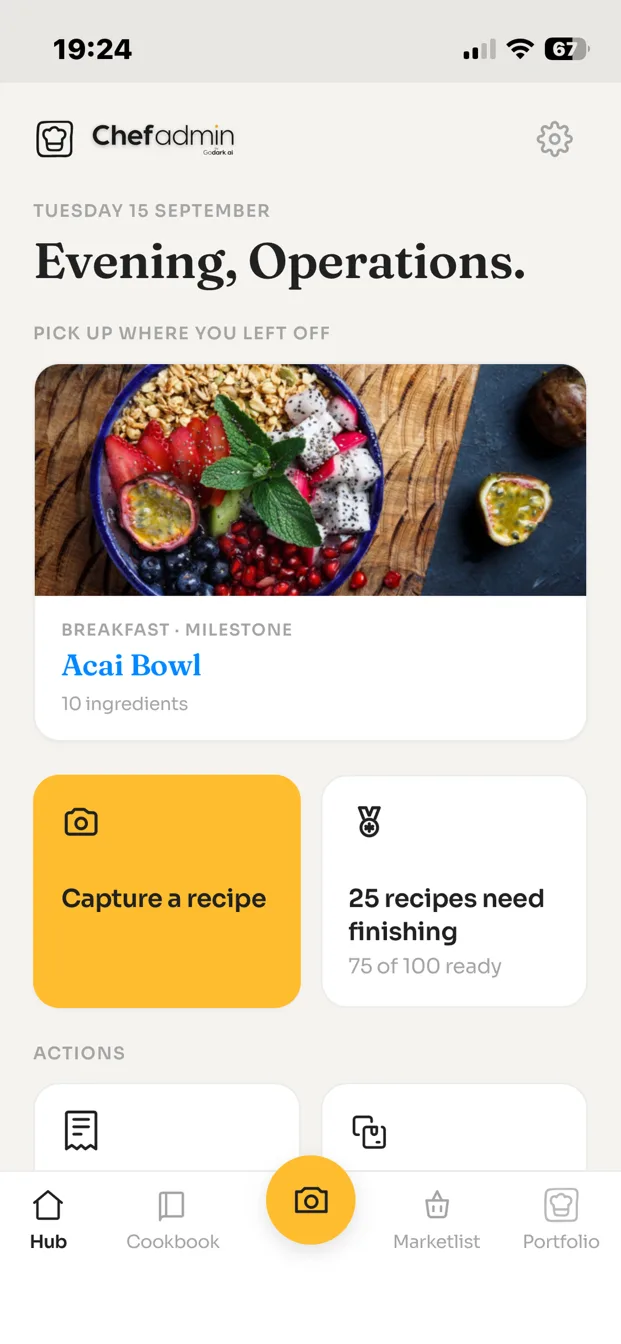
ChefAdmin app home screen: pick up where you left off, capture a recipe, recipes that need finishing
Your kitchen, first thing.Pick up where you left off. Capture is one tap.
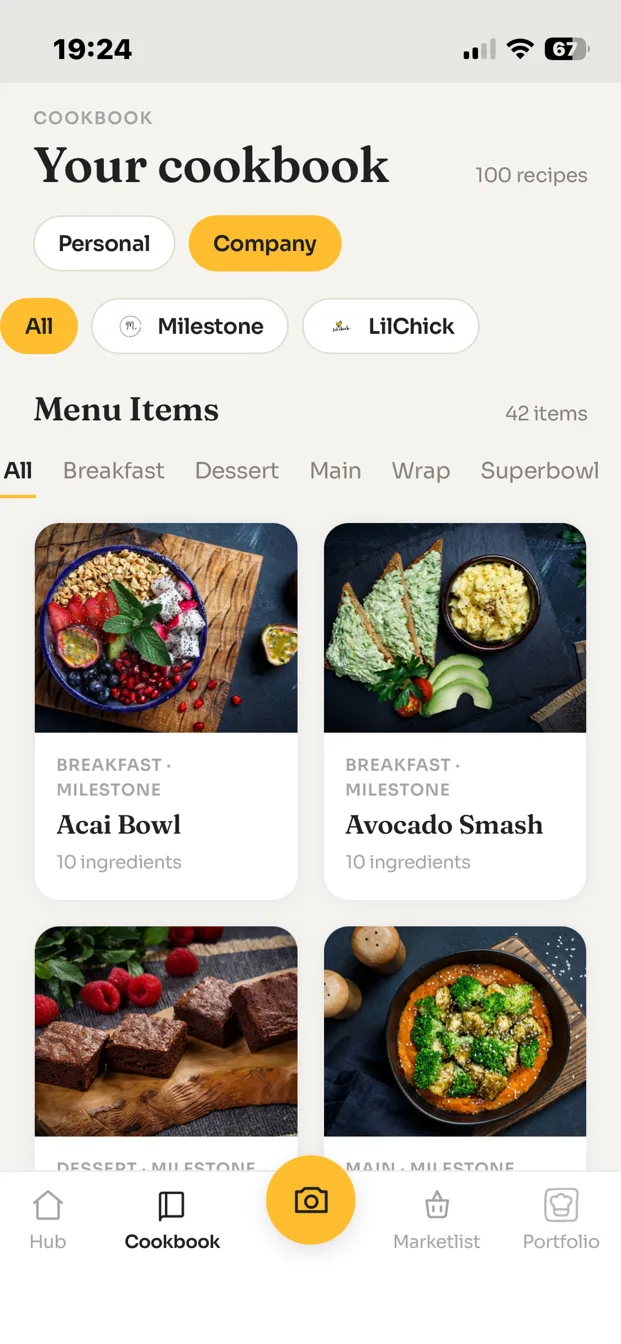
ChefAdmin app cookbook: recipe shelf with photos, brand and category filters
Every recipe, one cookbook.Personal and company shelves, filtered by brand and category.
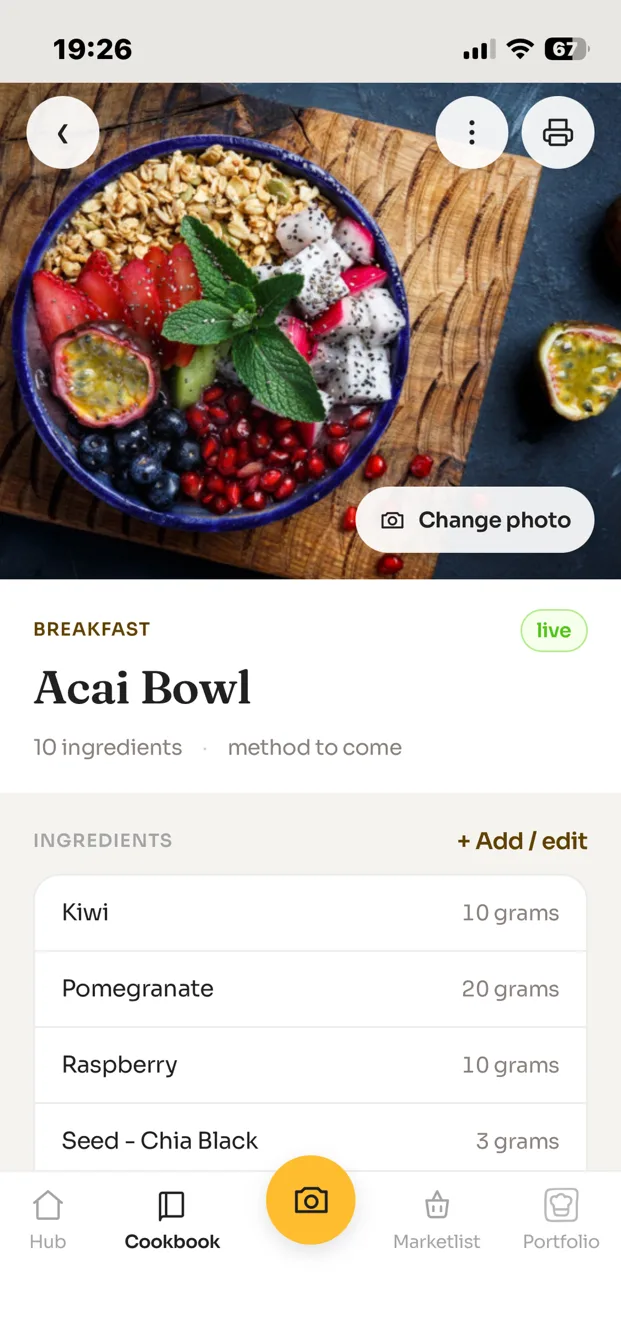
ChefAdmin app recipe card: photo, ingredients with quantities, method
Structured recipes, not scraps.Ingredients in grams, a method, a photo, a status.
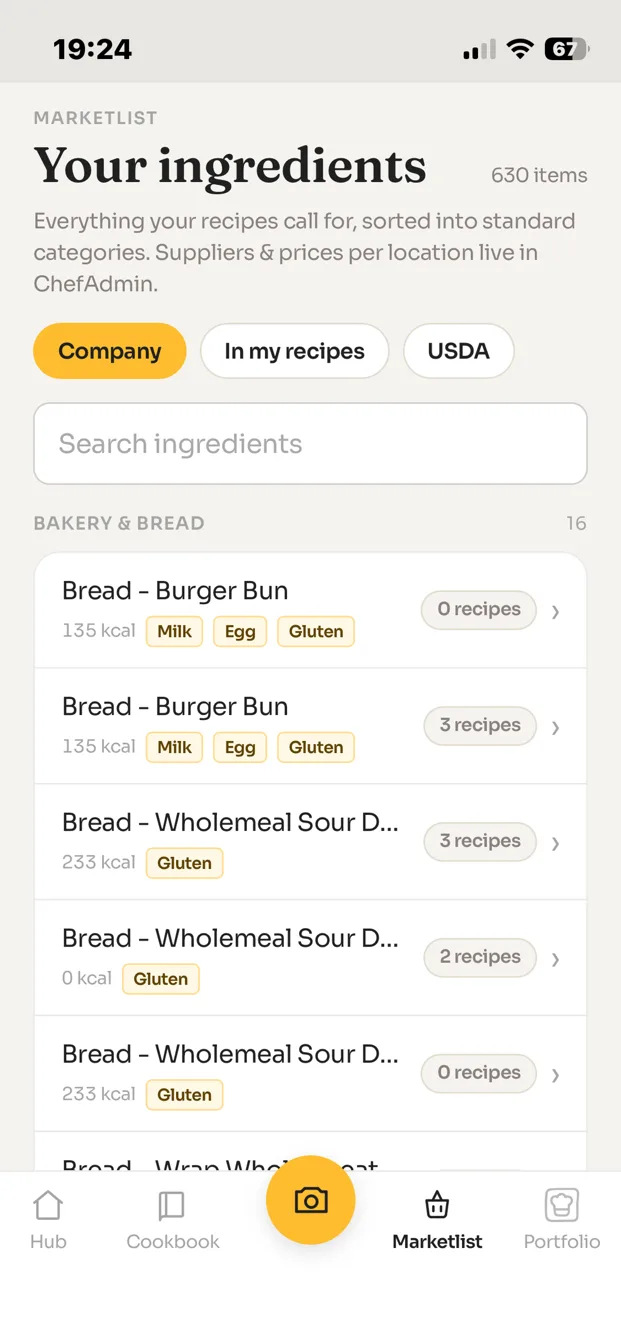
ChefAdmin app marketlist: every ingredient your recipes call for, sorted into standard categories
Every ingredient, sorted.What your recipes call for, in standard categories, with allergens.
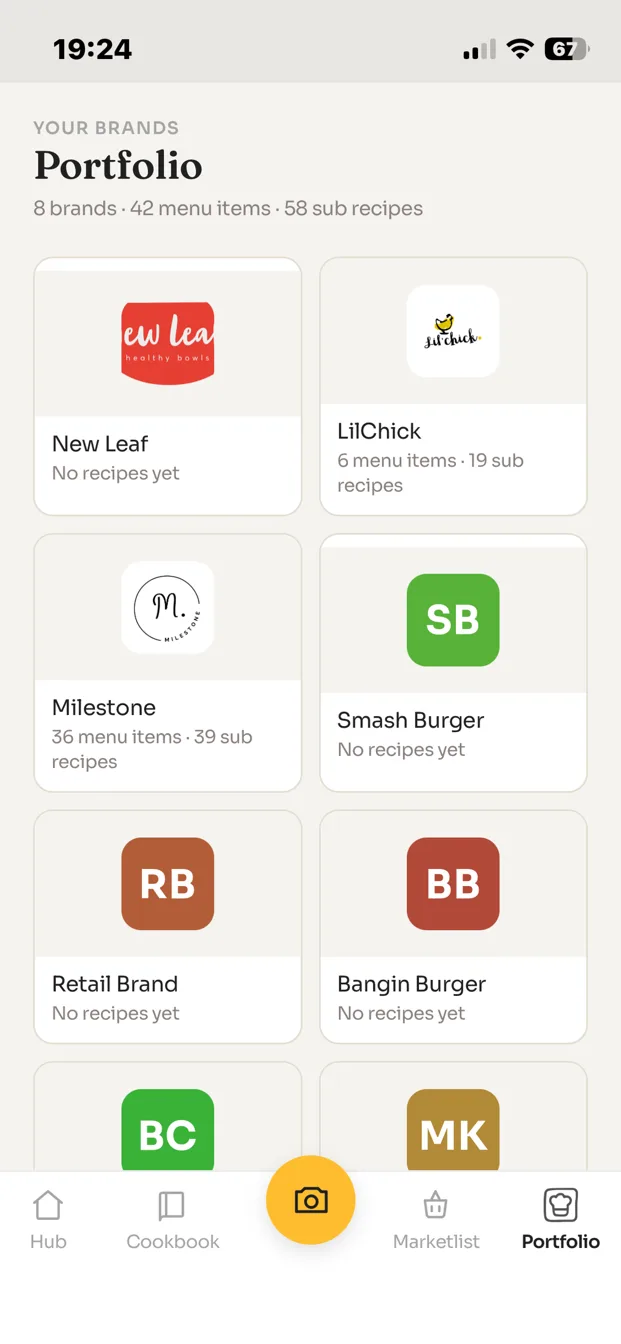
ChefAdmin app portfolio: brands with logos and recipe counts
All your brands in one place.Menu items and sub-recipes, counted per brand.
Three ways in

Snap it. Say it.
Or type it.

Whichever is quickest on the day. The draft is yours to check and correct before it goes anywhere.

01 · SNAP IT

Photograph the dish, or the card.

A plate, a handwritten card, a printed spec. ChefAdmin reads it and drafts the ingredients and method into a structured recipe.

02 · SAY IT

Dictate it, hands full.

Talk through the recipe the way you would brief a new commis. The app writes it up; you fix the quantities it got wrong.

03 · TYPE IT

Build it from scratch.

When you would rather type. Menu item or sub-recipe, categories, ingredients from your own marketlist.

Plain terms

What it does, and does not.

in the app
Capture, cookbook, menu items and sub-recipes, categories, marketlist, brand portfolio. Everything a chef needs to get the recipes out of their head and onto cards.
on the desktop
Costing, stock, purchasing, POS connections and reports. Same account, same recipes, at chefadmin.com on any computer. The app never asks a chef to think about food cost.
your data
The recipes are yours. Export any time. Your own AI assistant can read them through the agent door. Nothing is sold or shared for anyone else's purposes; the privacy page says exactly what is collected and why.
not yet
No offline mode. The app needs a signal to save a recipe, so capture with a connection. Tablet layouts are the phone layout, for now.
where
Free on the App Store and Google Play in the UK, the US, the UAE and most of the world. Not yet listed in the EU.
Ten recipes to keep, free, forever. When you want to build without limits it is $9 a month, and $60 a month runs a live kitchen. Paid plans are managed from your account on the web, not inside the app, so the app itself never asks you for a card.
The price, on the page

Free to start.
No demo needed.

The full price list, with what each tier includes, is on the main page.

Free
$0

Build about ten recipes and keep them. Photo, voice or typed. The ten you build stay yours.

Build
$9/ month

Build without limit. For the chef with a whole repertoire to get down.

Kitchen
$60/ month

Run a live kitchen from the desktop: costing, stock, purchasing, reports. One location and two brands included.

Questions

Asked before.

Is it the same account as the web version?

Yes. Sign in with the ChefAdmin account you already have and your recipes are there. New to ChefAdmin: create your account in the app and it works on the web too.

Is the browser version going away?

No. kms.chefadmin.com/m keeps running for anyone who prefers it or is on a device the stores do not cover.

Does the app do costing?

No, on purpose. The app is for capturing and organising recipes. Costing, stock and reports are desktop work, done from the same account at chefadmin.com.

What happens to a photo or a voice note?

Photos are stored with the recipe they belong to. Voice notes are sent to our server to be written up, then discarded once the text is back. Nothing is used for advertising or sold on. The privacy page has the full list.

How do I delete my account?

In the app, under Settings, or from the delete your account page. Deletion removes your account and the personal data tied to it.

Can I pay inside the app?

No. Paid plans are managed from your account on the web, which keeps the app free and simple. Upgrade at chefadmin.com whenever you are ready.

Own your kitchen

Photograph the card.
Even that one.

Free on both stores. Ten recipes to keep, then $9 a month to build without limits. Nobody has to call you.